 English
  German
A few months ago, I exported a FlutterFlow project into Claude Code. I have not opened FlutterFlow since. That sounds cleaner than the actual experience felt at the time, which was more like realizing that a tool I had depended on was no longer the center of the work.
My current workflow is roughly Figma to Figma Make to VS Code to Claude Code or Codex, with Figma MCP and real-device testing closing the loop. The useful change is that I can now carry more of the product loop myself: design the intent, get to working software, test it in real conditions, and keep iterating while the idea is still fresh in my head.
What I’ve shipped
I care about this distinction because the work is no longer theoretical for me.
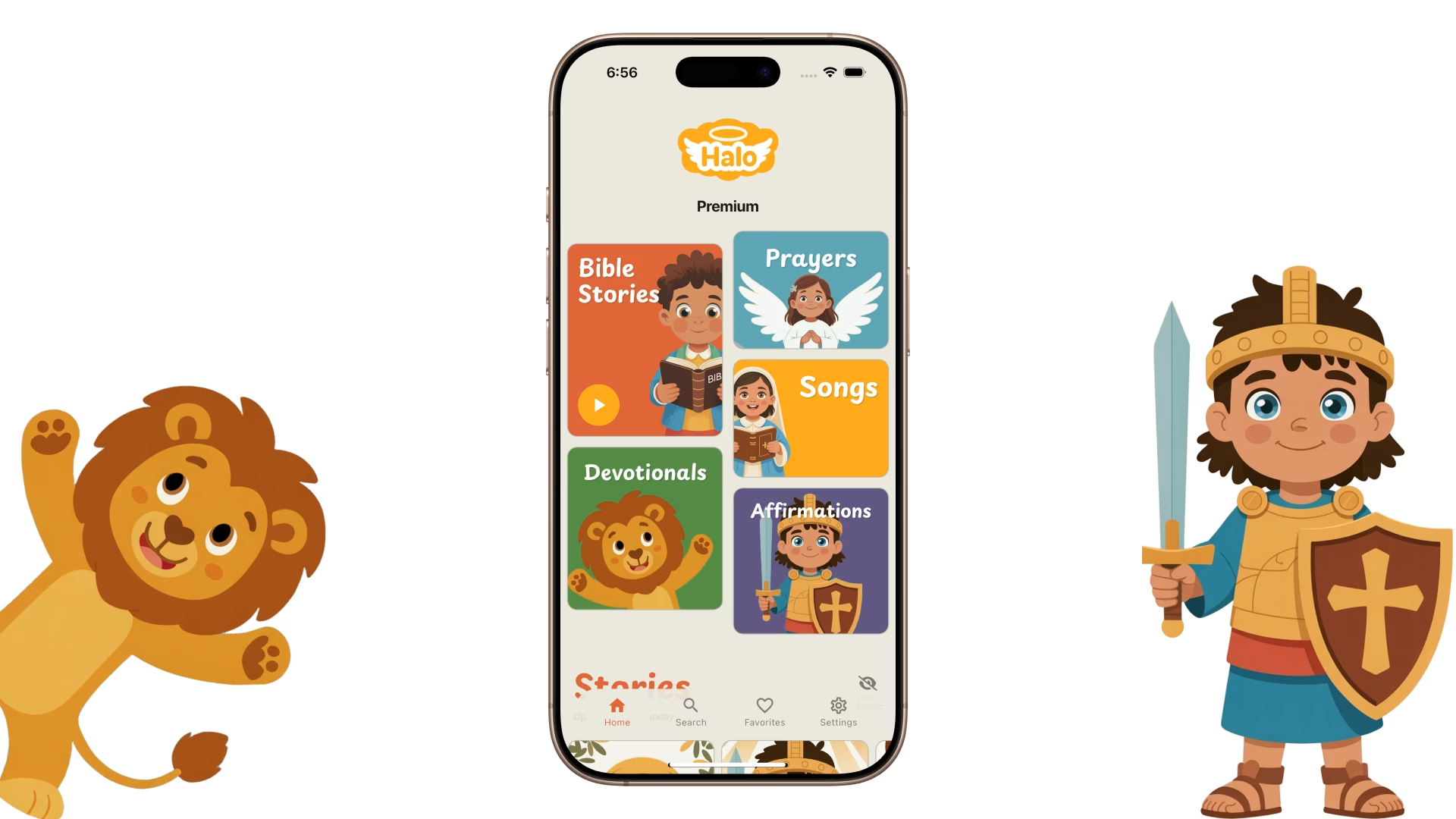
Halo is a live children’s bedtime app on iOS and Android, and this workflow helped me ship individual story purchases, support for five languages, and a performance refactor for older devices in a matter of weeks. That was the point where AI coding tools stopped feeling like an interesting side experiment and became part of my normal product practice.
The more useful lesson came from a WordPress translation plugin, because the first version failed in an expensive way. I pointed an LLM at a WordPress codebase without enough structure around context, error handling, or cost monitoring, and it quietly burned through $250 in API calls before I caught the problem. I rebuilt the plugin from scratch, grounded the work in the official WordPress plugin docs, narrowed the context, and added reporting. The second version now handles more than 5,000 posts across ten languages with a locked glossary for doctrinal terms. The model mattered, but the supervision mattered more.
A room visualizer for real estate moved much faster because the problem was concrete. The job was to show buyers what an empty room might look like furnished, so the product constraint was visible from the start.
The commenting module I built for a shared work prototype was smaller, but it captures the same shift in a more everyday way. I needed comments directly on the prototype, so I built them. A few years ago, that sentence would have required more people, more waiting, or a much rougher compromise.
What prototyping used to mean
For most of my career, prototyping fit into one of two buckets.
At companies like Meta and Careem, it usually meant designing in Figma, writing handoff notes, walking people through the intent, and then waiting for engineering to build it. Sometimes the end result was close to the design. Sometimes it wasn’t. Either way, the loop was slow. Each round of iteration took time, coordination, and a bit of negotiation.
On my own products, I used FlutterFlow. It was faster, but it still came with the familiar tradeoff of no-code tools: speed early, friction later. The more specific your idea became, the more you started wrestling the abstraction layer instead of solving the product problem. Something that should have been simple in code could become awkward and time-consuming in the builder.
In both cases, the bottleneck was the same. I could often see the product clearly, but I couldn’t move from intention to implementation on my own terms. There was always another dependency in the loop: a team, a tool, or an interface that only got me part of the way there.
That is the part that has changed most.
The workflow I use now
The easiest way to explain this is stage by stage, because each part of the workflow solves a different problem.
Step 0: Know what you want to build
I still start with product clarity before I touch the tools. AI makes unclear thinking more visible because a blurry prompt can come back as a confident, polished, wrong answer. Before I start building, I try to make the work smaller and more definite: what is changing, what is staying fixed, what files or screens matter, what edge cases might break, and what finished should look like.
Step 1: I still start in Figma
Figma is still where I do the visual thinking. AI can produce interface code, but it still struggles with taste: hierarchy, spacing, emphasis, density, and the small visual decisions that make a product feel considered rather than generated. I use Figma for the screens where judgment matters most, especially the places where the product needs to feel calm, clear, or polished. Code is where I test whether that intent survives contact with real behavior.
Step 2: I use Figma Make to get to a first draft quickly
Once I have the starting point, I use Figma Make to generate an initial prototype. I treat it as a draft tool, because that is where it is strongest. It gets me from a static screen to something clickable quickly, which gives me momentum and exposes obvious problems earlier. I do not want to live there through the messy middle of a product, though. Styling can drift, larger changes can get awkward, and the iteration loop starts to feel slower once the prototype needs stronger structure.
Step 3: Real iteration happens in VS Code with Claude Code or GPT Codex
This is where the workflow starts to feel genuinely different.
I export the generated code into VS Code and continue from there with AI coding tools. That is the point where the prototype stops being a clever demo and starts becoming a product I can shape.
I mostly use Claude Code and GPT Codex. Claude Code is often faster and more generative. GPT Codex is slower, but steadier in longer sessions. I switch between them depending on the problem and, honestly, depending on which one is thinking more clearly that day.
Step 4: I use the Figma MCP loop to fix what the AI gets visually wrong
When the code is functionally right but visually off, I go into Figma Dev Mode, select the element that is wrong, copy the MCP prompt, and paste it into VS Code. That lets the model work from the source of truth instead of from my description of it.
It doesn’t work perfectly every time, but it works often enough to matter. And more importantly, it changes the nature of the task. Instead of manually correcting UI details line by line, I’m supervising a tighter loop between design intent and implementation.
Step 5: Then I test on device, note what breaks, and repeat
From there, the work becomes a rhythm: test on device, see what feels wrong, fix it in code, and repeat.
That part matters more than any model. Real software tells the truth quickly. Scroll behavior, performance, loading states, awkward transitions, all of the things a mockup can hide become obvious once you are holding the product in your hand. So the loop is simple: build, test, notice what feels wrong, fix it, repeat.
Where this breaks
The success stories are real, but so are the failure modes.
The first is context degradation. Long chats with coding models can feel productive because there is a visible trail of work behind you. But length and coherence are not the same thing. Over time, the model starts to lose track of what matters. It forgets constraints, resurrects rejected ideas, or treats every past instruction as equally important. I’ve learned to reset threads more often than feels intuitive and restate the key constraints each time.
The second is design system drift. The code these tools produce can look close to the right answer without being meaningfully connected to the right system. It resembles the design tokens and components without actually referencing them. For solo work, that is manageable. For teams, it becomes a handoff problem. The pipeline from design system to implementation is better than it used to be, but it still isn’t truly closed.
The third is cognitive fatigue. This may be the least discussed part of the workflow and one of the most important. AI-assisted coding is not effortless. It shifts your role. You are simultaneously maker, reviewer, editor, and quality filter. Every output passes through a mental checkpoint: Is this right? Is it complete? Is it subtly wrong in a way that will cost me later? Doing that repeatedly is tiring in a very specific way. The work is faster, but the vigilance is real.
The fourth is that tool quality is inconsistent. I’ve had repeated sessions where Claude Code noticeably drops in quality during peak usage periods. The outputs get lazier. The reasoning gets shallower. The hallucinations increase. You learn to recognize the pattern and switch tools when it happens, but it is still a constraint.
None of these problems are theoretical. They all show up in normal use.
What has made this work for me
After a few months of building this way, I’ve ended up with a handful of principles that matter more than any specific model.
The first lesson is that clarity matters more than ever. If I hand a model a blurry task, it returns a blurry answer in very convincing packaging. Before I start a session, I try to make the work smaller and more definite: what is changing, what is not changing, what files are involved, what edge cases matter, what done looks like. That planning is not overhead. It is part of the build.
The second lesson is that reusable standards compound. I do better when I give the model a stable operating environment: plan before coding, name assumptions, flag uncertainty, call out scope changes, keep the answer grounded. When I write those rules down once, I stop rebuilding the process every time I open a new session.
The third lesson is that boring technology helps. Models are simply better on familiar ground. Well-documented languages, mature frameworks, and common patterns reduce bluffing. That is one reason I keep coming back to Flutter and standard web technologies.
The most important lesson, though, is about supervision. The real question is almost never, “Can the model generate this?” It usually can. The more useful question is, “Can I tell when it’s wrong?” The ceiling is not just model capability. It is my ability to evaluate the output with enough confidence to trust it. I can confidently supervise a consumer app with understandable behaviors and constraints. I would be far less confident supervising something safety-critical in a domain I don’t understand deeply. The limiting factor is not the model’s imagination. It is my judgment.
What changed
The bottleneck in my work used to be execution. I could see the product, but getting from idea to working software meant waiting on a handoff or squeezing the idea through a tool’s limits. Now the bottleneck is specification. Can I describe the problem clearly enough? Can I preserve the taste of the design while moving quickly? Can I catch the subtle wrongness before it ships?
That is a different job than the one I was doing a year ago. It asks for visual judgment, technical supervision, and clear thinking at the same time. For me, that combination is no longer a nice extra. It is the work.
Six weeks in, I have shipped more, learned faster, and stayed closer to the product than I would have in my old workflow. The tradeoffs are real. So are the gains. I don’t see myself going back.


Leave a Reply